SSH access on Linux via terminal
Performing the first access to your VPS is very simple. For Linux operating system users, we recommend using the SSH command itself as it is already installed by default on most distributions.The SSH command has the following syntax:
# ssh username@hostname
Where "user" is the access user and "hostname" is the server address (IPv4 or IPv6). These details are available in your account panel.Assuming the example data:
Hostname: 198.50.206.135
Username: root
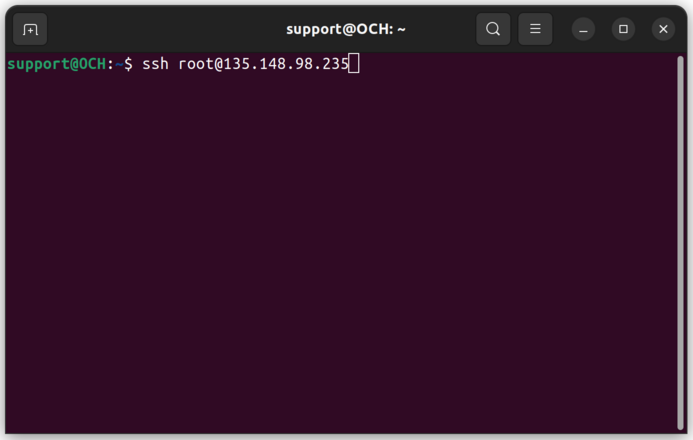
The SSH command in this case would be as shown below:
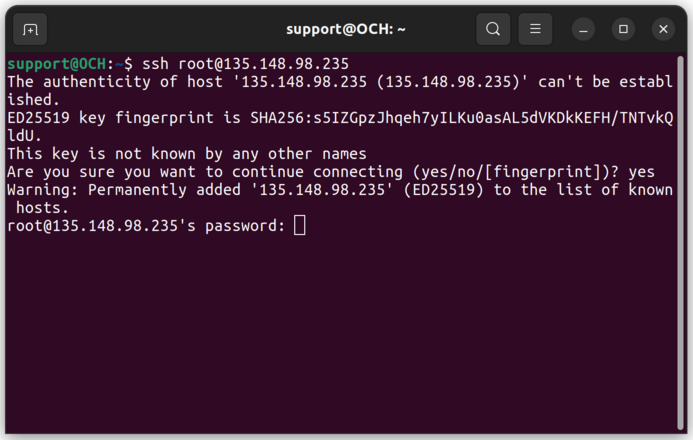
 The first time you access your VPS, you may receive the warning shown below. This warning indicates that the VPS server's identification is not recognized, which is normal since no connection has been made previously. Enter "yes" and press "Enter" to proceed. Then, you will be prompted for the initial password (also available in your account panel). Enter it and press "Enter".
 If the information is correct, you will see a screen like the one shown below:
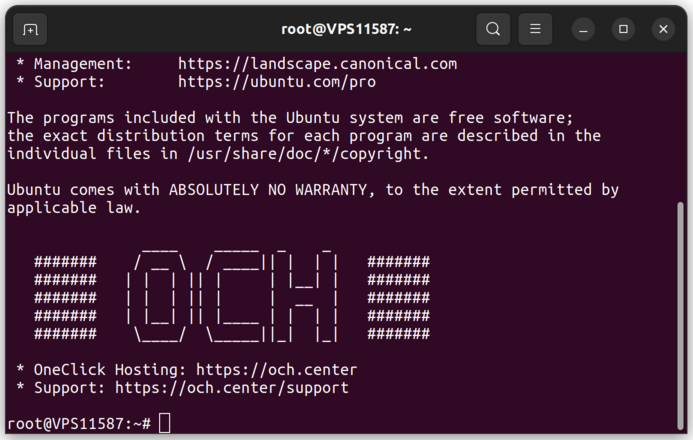 The access has been successful, and any command can now be executed remotely in this terminal.
If you have any difficulties, open a support ticket:
och.center/support
See you soon,
OCH